Telegram to MT5 — copy signals to MetaTrader 5 automatically
To copy Telegram signals to MT5, link your signal channel and your MetaTrader 5 account in PipSync: each message is parsed by AI and executed on your MT5 account from the cloud — no Expert Advisor, no VPS, nothing installed in your terminal.
Billed at checkout · Cancel any time · Free plan available
Risk warning: Trading CFDs and other leveraged products is complex and carries a high risk of losing money rapidly because of leverage. Industry data indicates that 70–80% of retail trading accounts lose money on these products. Risk disclosure · Past performance.
The classic way to automate this is a copier EA running inside MetaTrader 5 on a rented Windows VPS. PipSync replaces that whole stack with a cloud pipeline that talks to MT5 through an API bridge, supports both netting and hedging account modes, handles partial fills, and attaches stop-loss and take-profit server-side. Because the prop firms PipSync supports run on MetaTrader backends, the same route also covers evaluation and funded accounts.
From Telegram message to MT5 order
A signal as a provider might post it, and the order PipSync prepares from it.
EURUSD BUYEntry 1.0850SL 1.0820TP 1.0910
- Symbol
- EURUSD
- Side
- Buy
- Entry
- 1.0850
- Stop loss
- 1.0820
- Take profit
- 1.0910
- Lot size
- From your risk settings
Illustrative example with made-up values, not a real signal and not a recommendation. Messages without a stop loss and take profit are not traded.
See PipSync in action
Real screens from the PipSync dashboard: your channels, parsed signals, risk limits and trades in one place.
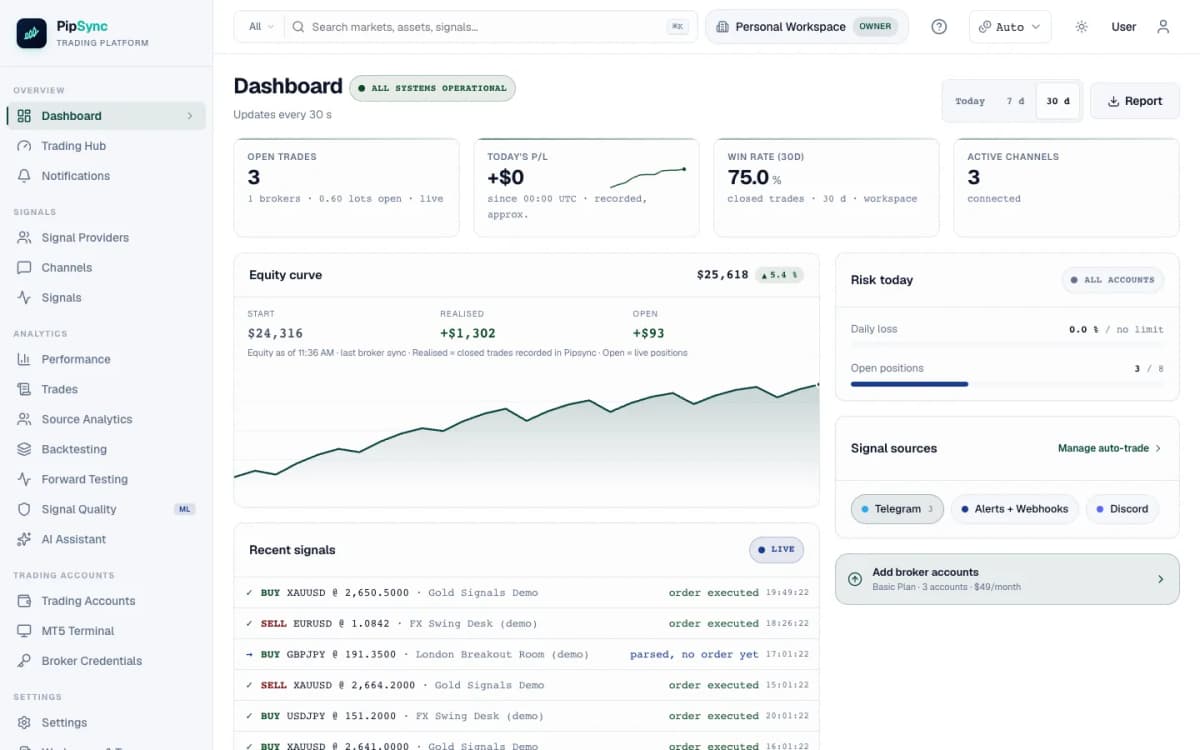
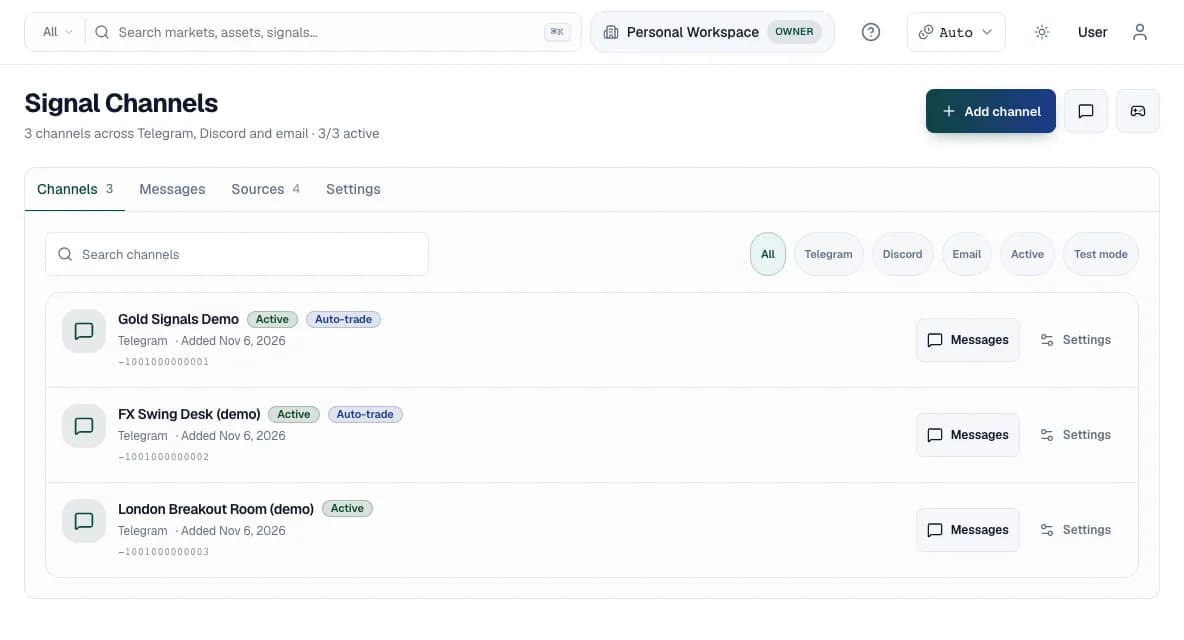
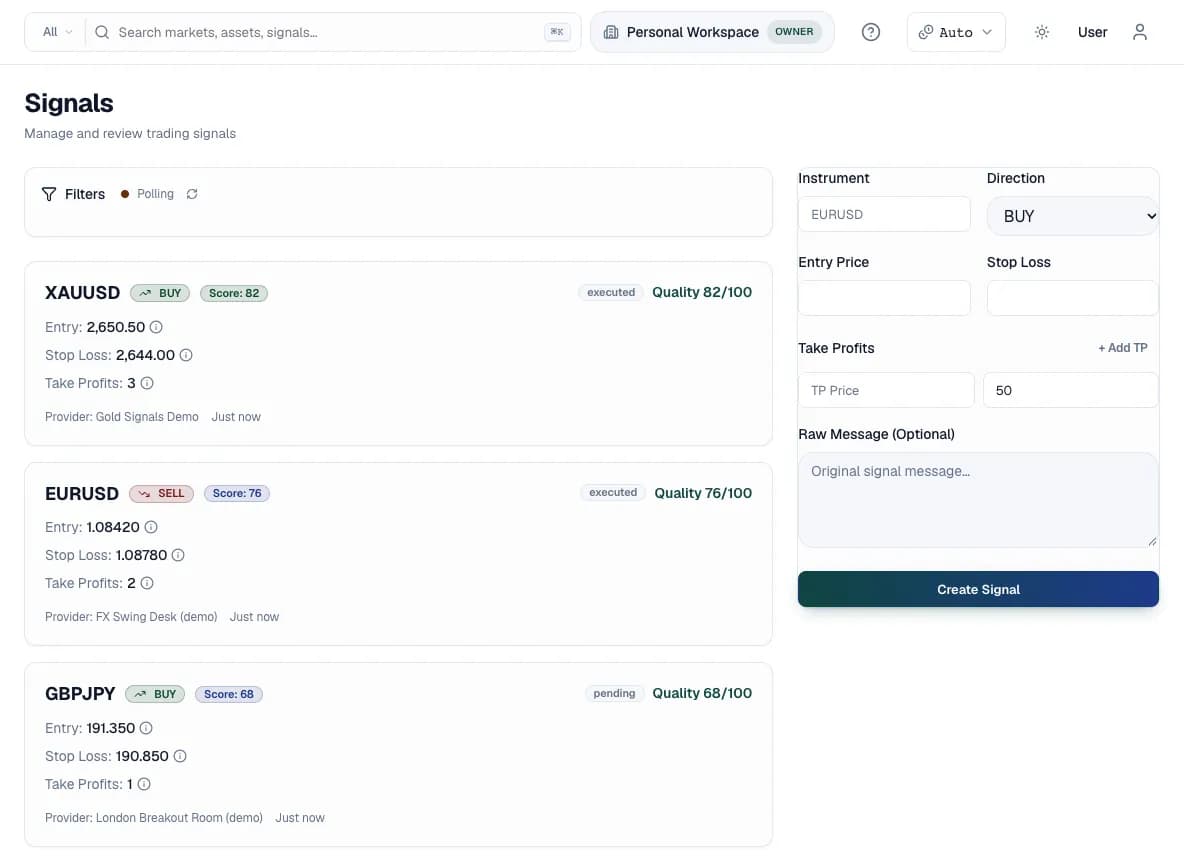
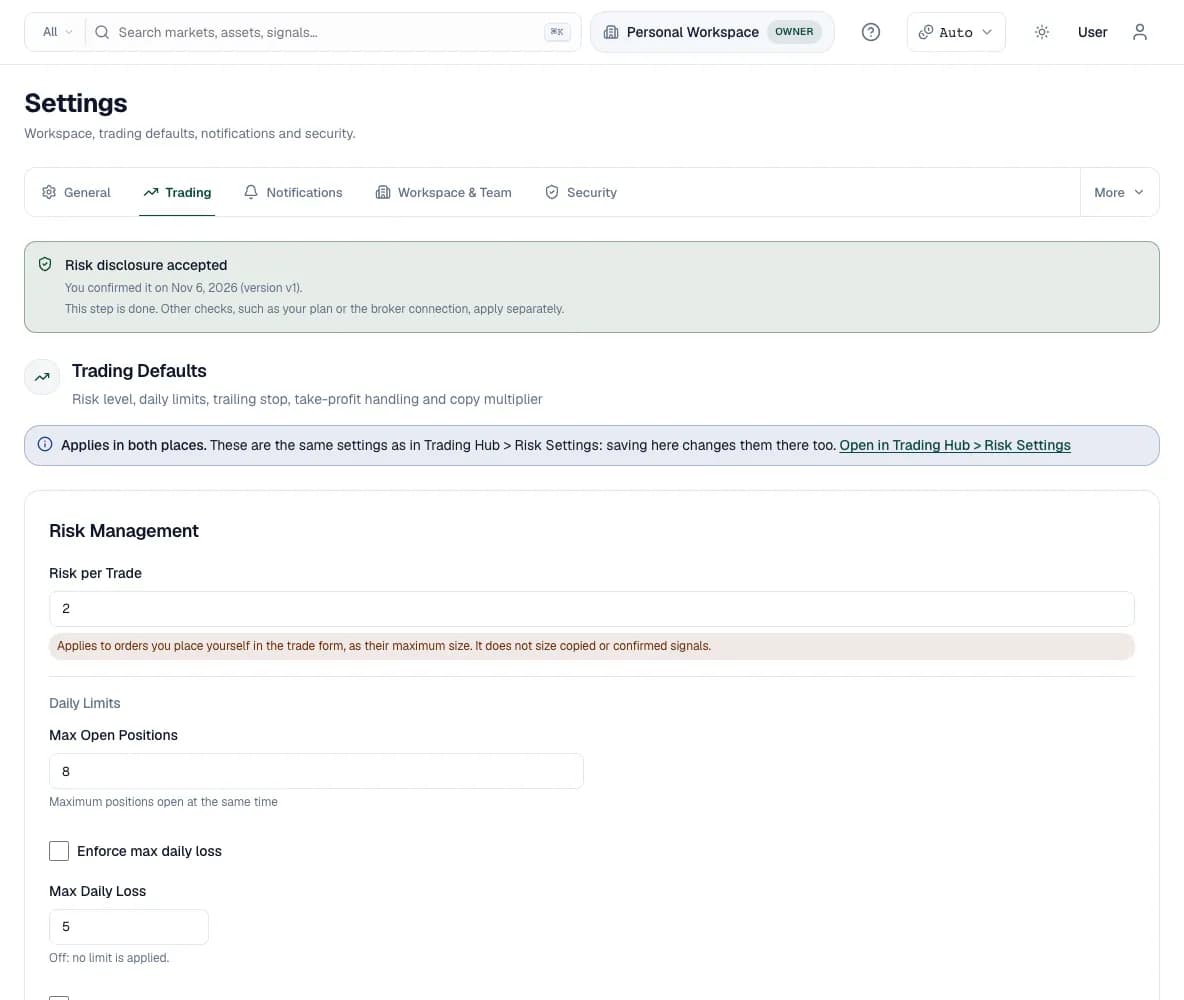
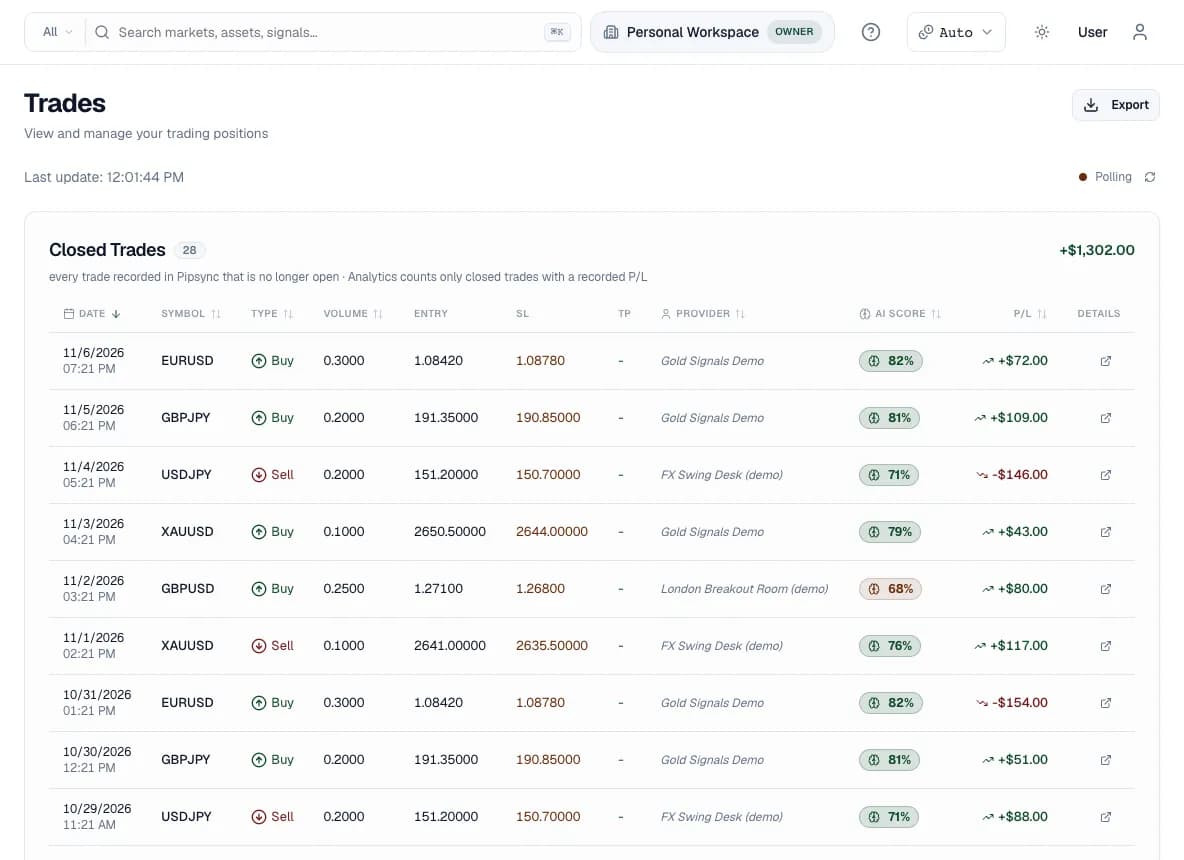
Screenshots show demo data in the English interface. Values are made up and not a performance claim.
Telegram → MT5 at a glance
How do I connect Telegram to MT5?
The entire route lives in the PipSync dashboard. You never attach an EA to a chart and you never rent a VPS.
Create your PipSync account and subscribe to a plan
Sign up at app.pipsync.io (the $0 Free plan needs no card but only parses signals), then subscribe to a plan that covers this route — a payment method is required, and you can cancel any time. Everything this guide uses, including Test Mode and execution on an MT5 demo account, is included.
Add your Telegram channel as a source
Go to Channels → Add channel → Telegram and sign in with your own Telegram account: enter your phone number, then the login code Telegram sends you (plus your 2FA cloud password if you set one). Pick the channel — being a member is enough, no admin rights and no bot needed.
Connect your MetaTrader 5 account
Open Trading Accounts → Add account and choose MetaTrader 5, using your master (trading) password — an investor password is rejected for orders. PipSync connects to your account through an API bridge running on its own infrastructure, so your local terminal can stay closed. Starting with a demo account is recommended.
Set your risk rules
Decide whether each signal trades a fixed lot size or a percentage of your account, with the signal's stop-loss and take-profit carried onto your orders. Add guardrails like min/max lots and max open positions — these matter twice on MT5 netting accounts, where overlapping positions merge. All rules are enforced server-side before any order reaches MT5.
Verify parsing in Test Mode
Enable Test Mode on the channel so PipSync parses incoming signals without trading. Each parsed signal shows a confidence score in the dashboard, and ambiguous messages are not traded automatically.
Go live
Once a few real signals have parsed exactly as expected, switch Test Mode off — on a demo account first, then on the MT5 account you actually want to trade.
Typical setup time: about 12 minutes.
Why can't MetaTrader 5 receive Telegram signals directly?
MT5 has no inbound interface for messages: there is no webhook endpoint and no Telegram integration in the platform itself. The only two ways to automate it are an Expert Advisor running inside the terminal, or an external connection to the account through an API bridge.
Traditional Telegram-to-MT5 copiers take the EA route. That means your terminal must run 24/7 — in practice a paid Windows VPS — and the copier breaks whenever the terminal restarts, the EA needs an update, or the VPS hiccups. PipSync takes the second route: it reads the channel, parses the signal with AI, applies your risk rules and submits the order to your MT5 account from the cloud. Nothing runs on your machine.
Does PipSync work with MT5 netting and hedging accounts?
Yes — both modes are supported. An MT5 account runs in one of two modes set by your broker: hedging, where each order opens its own position and you can hold longs and shorts on the same symbol at once, or netting, where the symbol has a single aggregated position that opposite orders reduce or flip.
This distinction matters more for signal copying than for manual trading. On a netting account, two overlapping signals on the same symbol — or a counter-trend signal while a position is open — merge into one net position rather than coexisting. If your account is netting, lean on guardrails like max open positions and max lots, and check which mode your broker assigned before you go live.
How does PipSync handle partial fills and SL/TP on MT5?
MT5 allows orders to fill partially depending on available liquidity and the broker's fill policy, and PipSync's MT5 integration is built for that: a signal is not abandoned just because only part of the requested volume fills immediately.
Stop-loss and take-profit are attached server-side, on the broker's MT5 server, as part of the position. That means your protective levels keep working even if your internet drops or the connection between PipSync and the broker is briefly interrupted — a real difference from copiers that manage exits client-side from an EA, where the exit logic dies the moment the terminal does.
Is MT5 the right platform for prop-firm signal copying?
The prop firms PipSync lists as live all run on MetaTrader backends — FTMO, The5%ers and FundedNext all via MT5 — so a Telegram-to-MT5 route covers all three without any extra integration, for evaluation and funded accounts alike.
Before an order reaches the firm's MT5 server, PipSync checks it against the limits you configured — percent-risk sizing, min/max lots, max open positions — which is exactly where prop accounts need discipline. One caveat you should not skip: every firm writes its own rulebook, and policies on copy-traded or automated execution differ. Confirm with your firm that automation is allowed before connecting a prop account.
How do I know a signal was parsed correctly before it trades?
Every Telegram message PipSync processes gets a parser confidence score, visible in the dashboard. Signals the parser is unsure about are not traded automatically, and with Auto-Trading off every signal waits on the Signals page for you to confirm or reject.
Two more tools keep noisy channels safe: Test Mode parses everything without placing trades, so you can validate a new channel before a single order is possible, and the parser only turns real trade setups into signals, so news posts, recaps and memes are normally ignored and ambiguous messages are not traded automatically. The parser itself extracts instrument, direction, entry, stop-loss and take-profit from free text in common formats, including verbose multi-TP layouts.
Parse for free, execute on a paid plan
Connect a signal source and watch PipSync parse in real time. Start on the Free plan at $0 with no card, or subscribe from $24/month for execution — charged at checkout, cancel any time.
Billed at checkout · Cancel any time · Free plan available
Risk warning: Trading CFDs and other leveraged products is complex and carries a high risk of losing money rapidly because of leverage. Industry data indicates that 70–80% of retail trading accounts lose money on these products. Risk disclosure · Past performance.
Frequently asked questions
Written by the PipSync team · Reviewed by PipSync Editorial, Editorial team · Published · Last updated
PipSync is a cloud-based signal automation platform that routes trading signals from Telegram, Discord, TradingView alerts and custom webhooks to broker accounts on MetaTrader 5, cTrader, Match-Trader, Binance Futures and Bybit — with server-side risk management and no VPS required. PipSync is an execution tool, not a signal provider and not investment advice.
PipSync is a signal execution tool. It does not provide trading signals, does not guarantee any trading results and is not investment advice. Trading leveraged products involves substantial risk of loss. See the full risk disclosure and performance disclaimer.